
Creating Programs
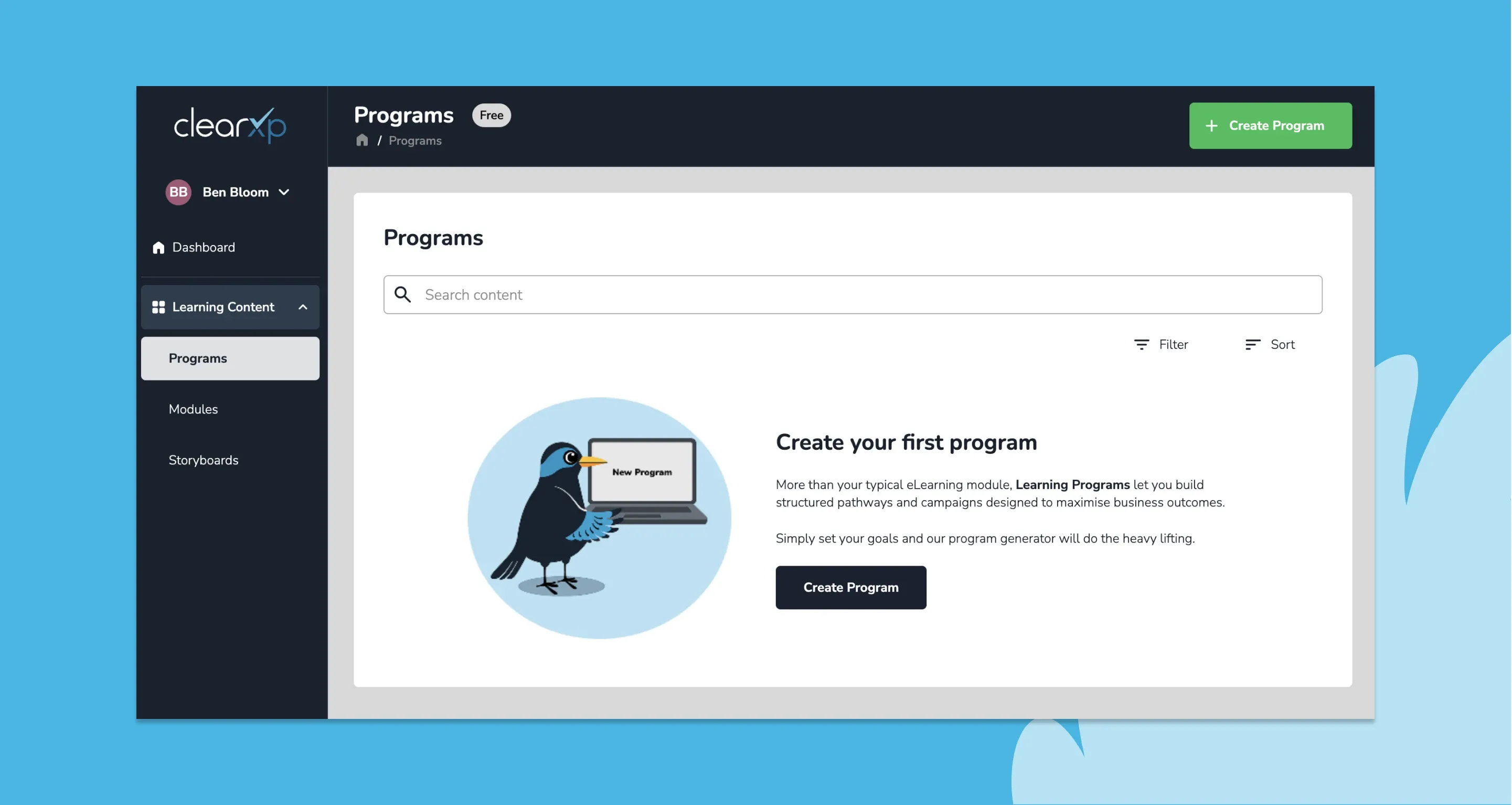
How to create a learning program
Section titled “How to create a learning program”The below steps will guide you through learning program creation as quickly as possible. Later sections in this guide will provide more detailed information for each step.
-
Start by navigating to Learning Content > Programs and click Create Program
-
Enter the name of your program and describe the learning outcomes or concepts it should cover.
-
If available, select or upload reference material that covers the program you’re creating. If you don’t have any existing material, ClearXP will generate content from its own knowledge base.
-
Select the learning purpose and any program goals that informs the learning design.
After setting your goals, ClearXP will generate a program structure and draft content tailored to your goals. This shouldn’t take more than a few minutes.
-
Make any edits to the program structure you desire. You can add modules to the program, rearrange or edit the content itself.
-
Share the program with learners directly or download and upload to your LMS if using an external platform to deliver learning.
Describe your program
Section titled “Describe your program”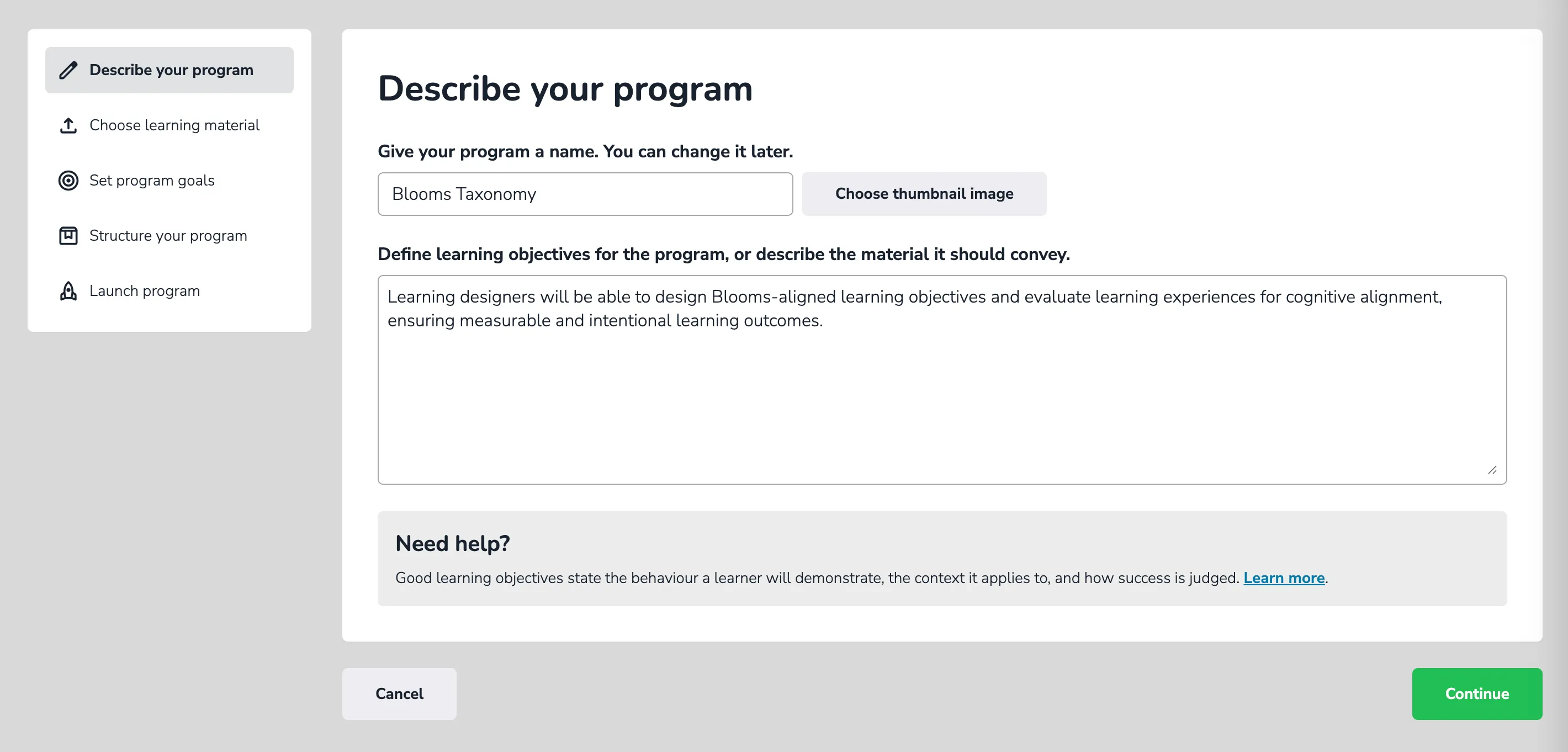
ClearXP uses the program description to generate a program outline and pre-populate content.
- Name your program: Give your program a descriptive name to help yourself and learners identify it.
- Define learning outcomes: Describe one or more Learning Outcomes for the program. Include any qualifiers (such as audience or experience level) that narrow the scope of the program.
How to write good learning outcomes
Section titled “How to write good learning outcomes”There are excellent resources on writing learning outcomes but ClearXP will perform best if you follow the below guidelines:
- Use Bloom’s Taxonomy verbs to indicate the intended cognitive level. ClearXP will select evaluations that best align with your target level.
- Keep your outcomes clear and concise. The more specific the outcomes, the more relevant the generated content will be.
- Define your target audience including prior experience level only if relevant. This is counter to typical outcome-writing but helps ClearXP to further refine learning content.
Optional: You can provide additional context (such as desired program length, preferred delivery mode, etc.) if required. However, you’ll get best results if you omit these and let ClearXP select them from your program goals.
Choose learning material
Section titled “Choose learning material”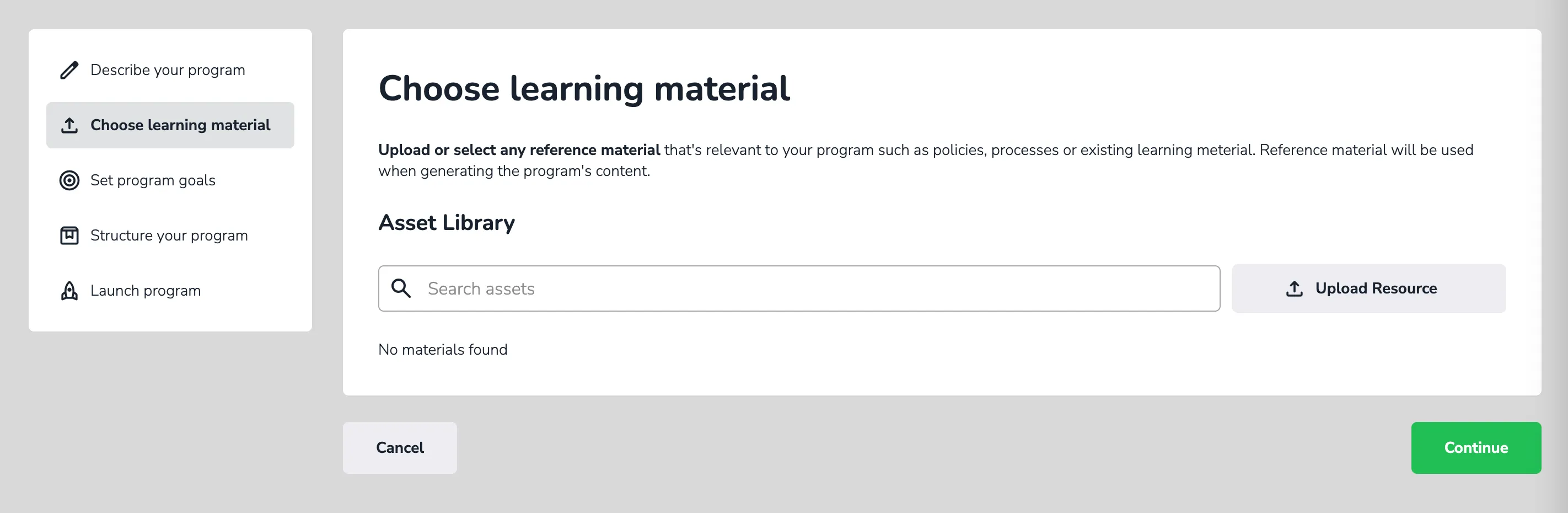
ClearXP uses learning material to generate draft content for the learning program. You can select from existing resources or upload new resources, it’s recommended you include all relevant materials you have at your disposal.
Learning material might include:
- Policy and procedure documents
- Help guides, product or system documentation
- Subject Matter Expert (SME) questionnaires
- Existing learning modules or draft content
ClearXP will extract all content from supplied learning material that align with the learning outcomes you set previously.
Set program goals
Section titled “Set program goals”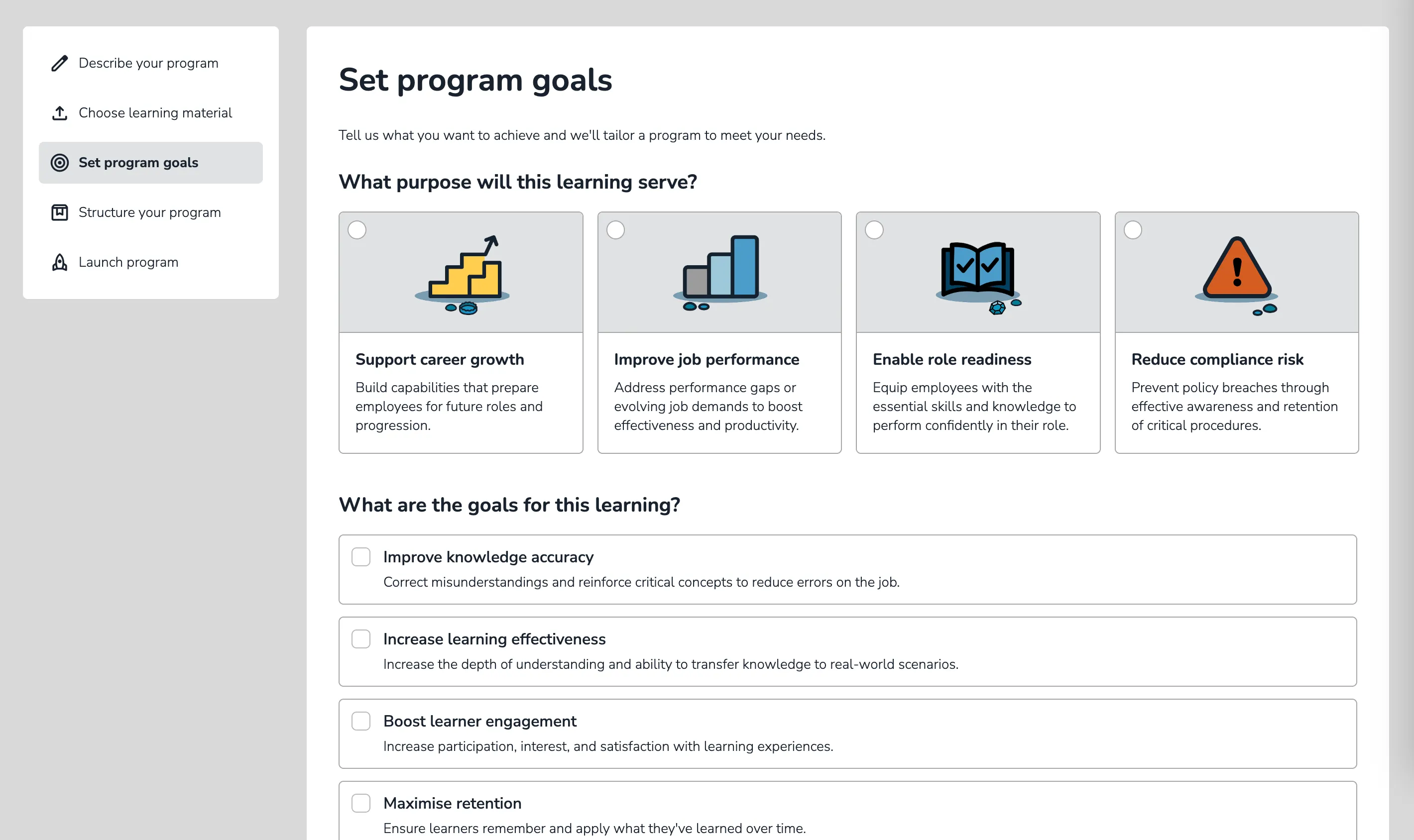
Now comes the fun part. Setting Program Goals enables ClearXP to build a tailored program specific to your organisational needs.
How to choose a learning purpose
Section titled “How to choose a learning purpose”The Learning Purpose indicates the capability you’re building for your organisation. It’s the underlying reason the learning is required and helps ClearXP select the most appropriate delivery mode for your program.
You can select from the following purposes:
| Purpose | Description | Examples |
|---|---|---|
| Support career growth | Build capabilities that prepare employees for future roles and progression. | Leadership & People Management, Strategic Thinking, Business Acumen, etc. |
| Improve job performance | Address performance gaps or evolving job demands to boost effectiveness and productivity. | Feedback-based Learning, Advanced Tools/Processes, Soft Skills, etc. |
| Enable role readiness | Equip employees with the essential skills and knowledge to perform confidently in their role. | Inductions, Refreshers/Certifications, Product Knowledge, etc. |
| Reduce compliance risk | Prevent policy breaches through effective awareness and retention of critical procedures. | Security Awareness, Workplace Behaviour, Legal/Regulatory training, etc. |
ClearXP uses the learning purpose to inform program creation. For example, Reducing Compliance Risk may make content mandatory and evaluate compliance with a formal assessment. In contrast, Supporting career growth is more likely to use a pre/post-program 180 assessment to evaluate the learner’s confidence in acquired skills.
How to pick program goals
Section titled “How to pick program goals”In addition to the learning purpose, Program Goals inform which learning mechanics best suit a program. ClearXP supports dozens of learning mechanics including adaptive learning, personalisation, social learning, gamification and many more.
Not all learning mechanics make sense within the context of the learning being delivered, and in some cases may even have a detrimental impact on learning outcomes.
By understanding your goals, ClearXP can design a program with the highest chance of success.
| Goal | Description |
|---|---|
| Improve knowledge accuracy | Corract misunderstandings and reinforce critical concepts to reduce errors on the job. |
| Increase learning effectiveness | Increase the depth of understanding and ability to transfer knowledge to real-world scenarios. |
| Boost learner engagement | Increase participation, interest, and satisfaction with learning experiences. |
| Maximise retention | Ensure learners remember and apply what they’ve learned over time. |
| Minimise time to competency | Enable learners to become job-ready as quickly as possible. |
| Reduce training hours | Deliver the most impact in the shortest amount of time. |
Consider each goal carefully and select the ones that are most relevant to the program you’re creating. Program goals will also inform what reports and visualisations ClearXP includes in the program dashboard.
Structure your program
Section titled “Structure your program”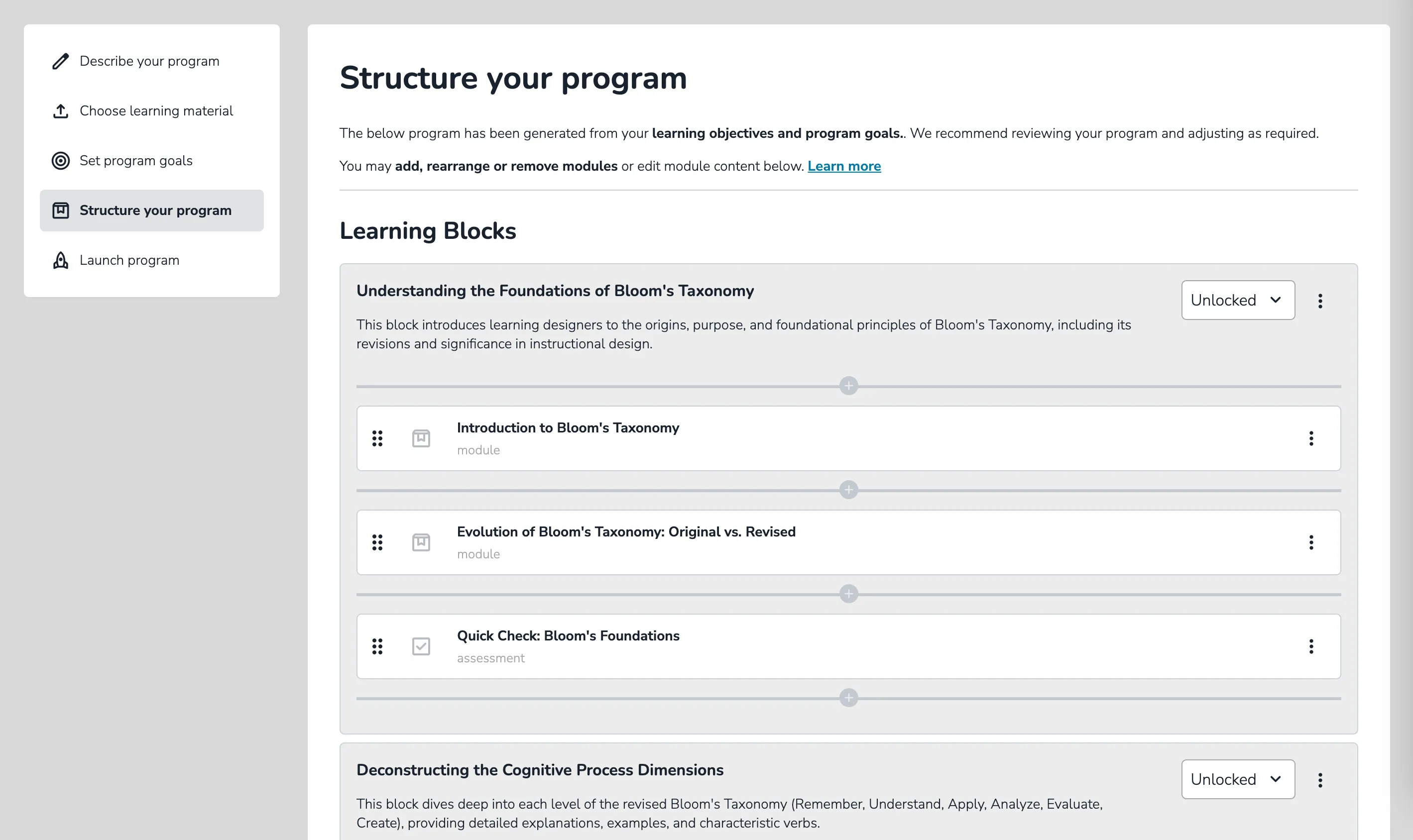
After a few minutes, ClearXP will have drafted the first version of your program. It’s recommended you review all generated content prior to launching the program.
How to edit the program structure
Section titled “How to edit the program structure”ClearXP programs are composed of Learning Blocks that break the program into distinct topics. Each learning block can contain one or more modules.
Learning Blocks
- Rename, reorder or remove a block by clicking the 3 vertical dots next to the block name.
- Add blocks by clicking the Add Learning Block button at the bottom of the screen.
- Change prerequisite rules by clicking the dropdown icon next to the block name:
- Sequential forces learners to complete modules in sequence.
- Unlocked allows learners to complete modules in any order.
Modules
- Edit or remove a module by clicking the 3 vertical dots next to the block name. Editing a module will open the module in the ClearXP authoring tool.
- Add modules by clicking the plus icon within a learning block.
Launch program
Section titled “Launch program”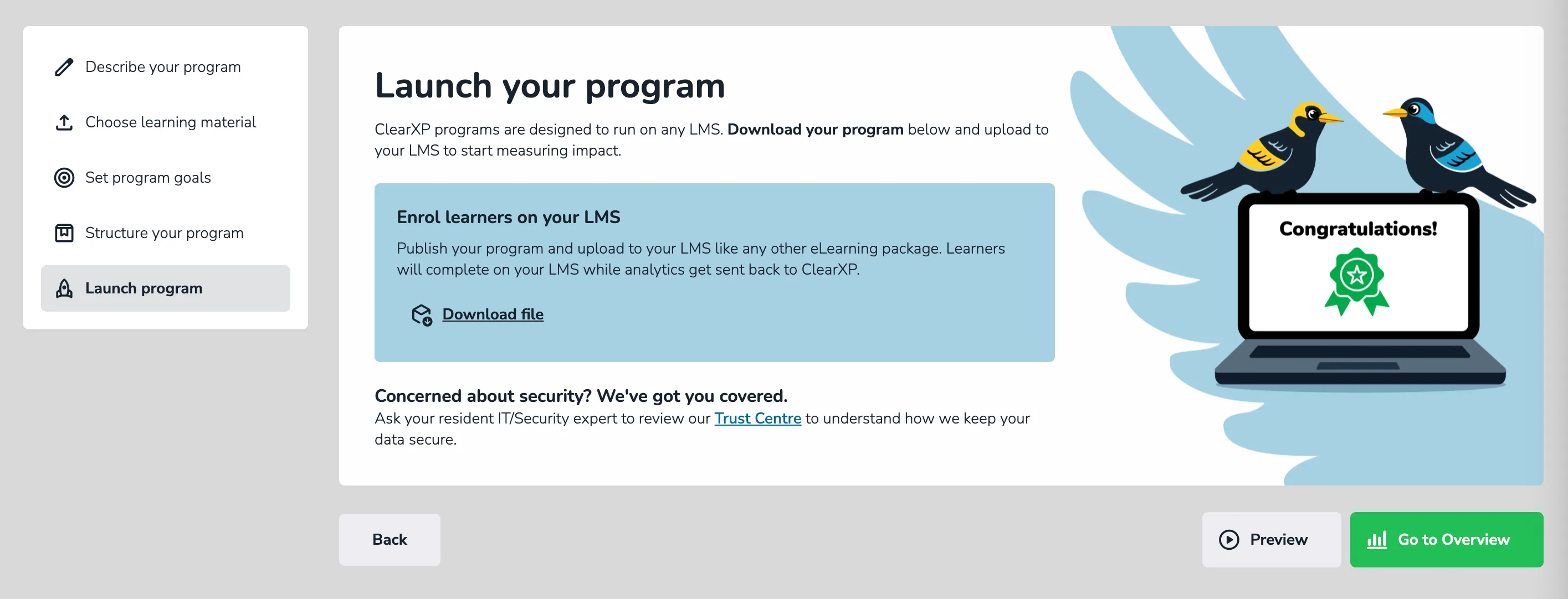
Now it’s time to get your program in learners’ hands. Before assigning to learners, you can review the program in full by clicking the Preview button at the bottom of the screen.
If changes are required, simply move back to the Structure your program step and make the required edits. When you’re ready to launch your program, learners can be assigned via either of the below methods:
- External LMS: Click the Download file link to publish the entire program to SCORM. The downloaded file can then be uploaded to your existing Learning Management System (LMS).
- Using ClearXP: If you don’t have or wish to use your existing LMS, ClearXP can be assigned to learners directly through the Assign Learning screen.